Group header and footer
Basic report design
Group header and footer
Now we will group the sample customers dataset by the first character of his name.
Note that if you want to group data it must be ordered correctly, we can't group the customers by city if they are not ordered by city.
We will count also the number of customers for each initial character, the same procedure you can do for printing order items and order totals.
First add a group with name 'Initial'.
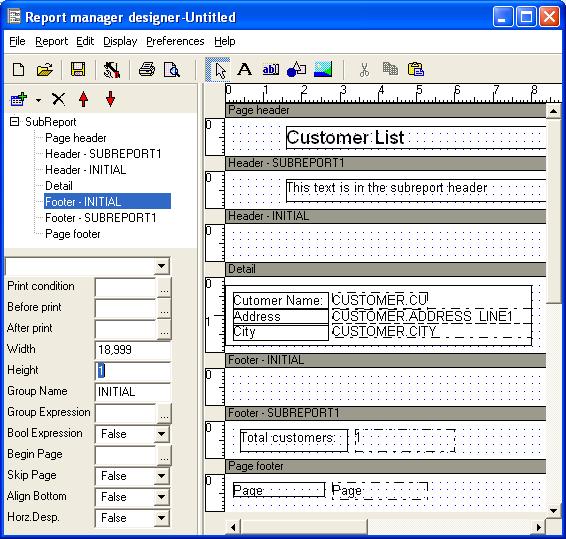
Add a expression at group header created with expression property Left(CUSTOMER.CUSTOMER,1), select it, click Copy button, select the footer and Paste it then preview the report, the first letter of customer must be shown at the beginning and end of the report:
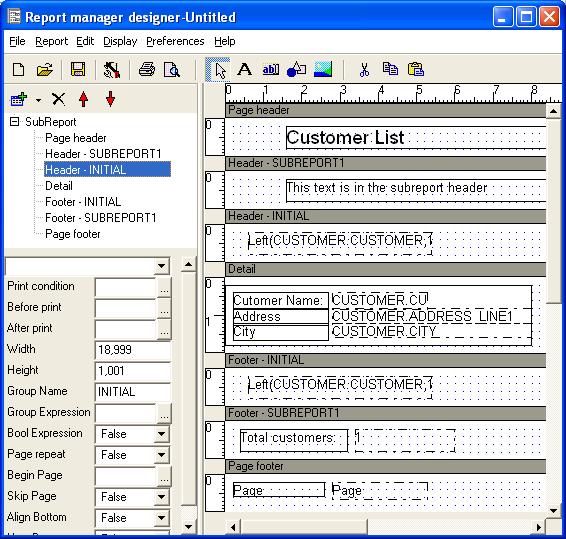
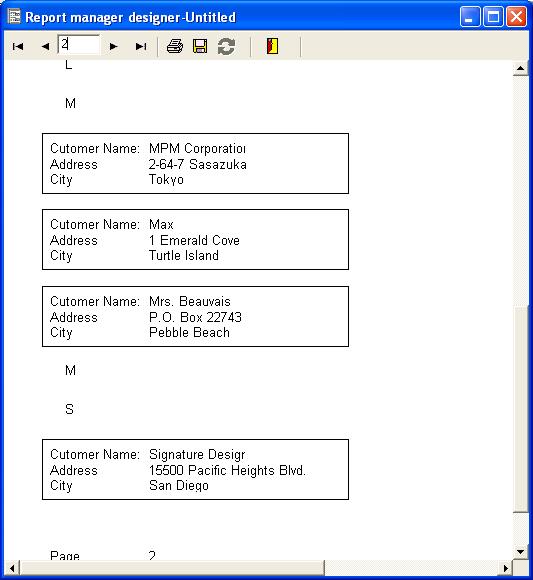
To force group change, we must enter the change expression for the group as Left(CUSTOMER.CUSTOMER,1),click 'Header-Initial' item in the design tree and then set the Group Expression, if you preview the report, then the detail sections are enclosed by group header and footer grouping customers with the same initial customer name character:
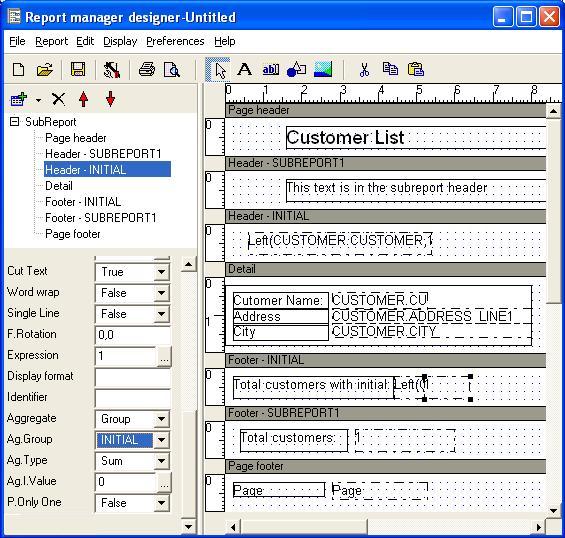
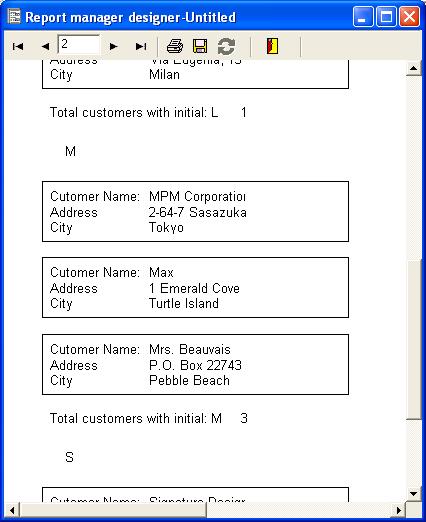
Lets count the customers by initial character, include a expression in the new group footer, set Expression property to 1, Aggregate to Group, and Ag.Group to 'Initial', also include a label with the Text 'Total customers with initial:':
Preview the report and you will see the count for each group:
Additional information for correct grouping
In the main dataset use a order by clause that specify each group field:
SELECT .... ORDER BY MORE_EXTERNAL_GROUP_FIELD,...,MORE_INTERNAL_GROUP_FIELD
For compatibility reasons, the expression of each group must contain other groups fields that is, for a grouping by custno,orderno and partno:
The select must be SELECT ... ORDER BY CUSTNO,ORDERNO,PARTNO...
The more external CUSTNO group expression:
FormatStr('0000000000',CUSTNO)
The ORDERNO group expression:
FormatStr('0000000000',CUSTNO)+FormatStr('000000000',ORDERNO)
The PARTNO group expression:
FormatStr('0000000000',CUSTNO)+FormatStr('000000000',ORDERNO)+FormatStr('000000000',PARTNO)
That is: the change of any field when processing PARTNO group will break the PARTNO group.